Rally Starter now offers the ability to integrate with Google Tag Manager (GTM), allowing users to track various actions taken within their rallies. This documentation will guide you through the process of setting up GTM for your rallies, including creating a GTM account, importing the necessary container, and validating the integration.
Step-by-Step Guide
1. Log In and Access Rally Settings- Log in to your Rally Starter account.
- Navigate to My Rallies. Here, you will see a list of your rallies.
- Select a rally with a pro subscription to integrate with GTM. Click on the settings icon next to your rally.
- Click on Set Google Tag Manager. This option allows you to add your GTM container ID for tracking.
- Log in to your Google Tag Manager account. If you don't have one, you can create it here.
- Select or create a GTM container. If creating a new one, follow the setup process and note down the container ID provided.
- Copy the Container ID. This is usually in the format GTM-XXXXXX.
- Return to Rally Starter. Paste the copied GTM container ID into the field provided in the Set Google Tag Manager section.
- Click Save. Your rally is now connected to your GTM container.
- Download the JSON container file here.
- In your GTM account, go to Admin.
- Select Import Container. Choose the JSON file you downloaded.
- Choose to either overwrite or merge the container. Select the appropriate workspace and confirm the import.
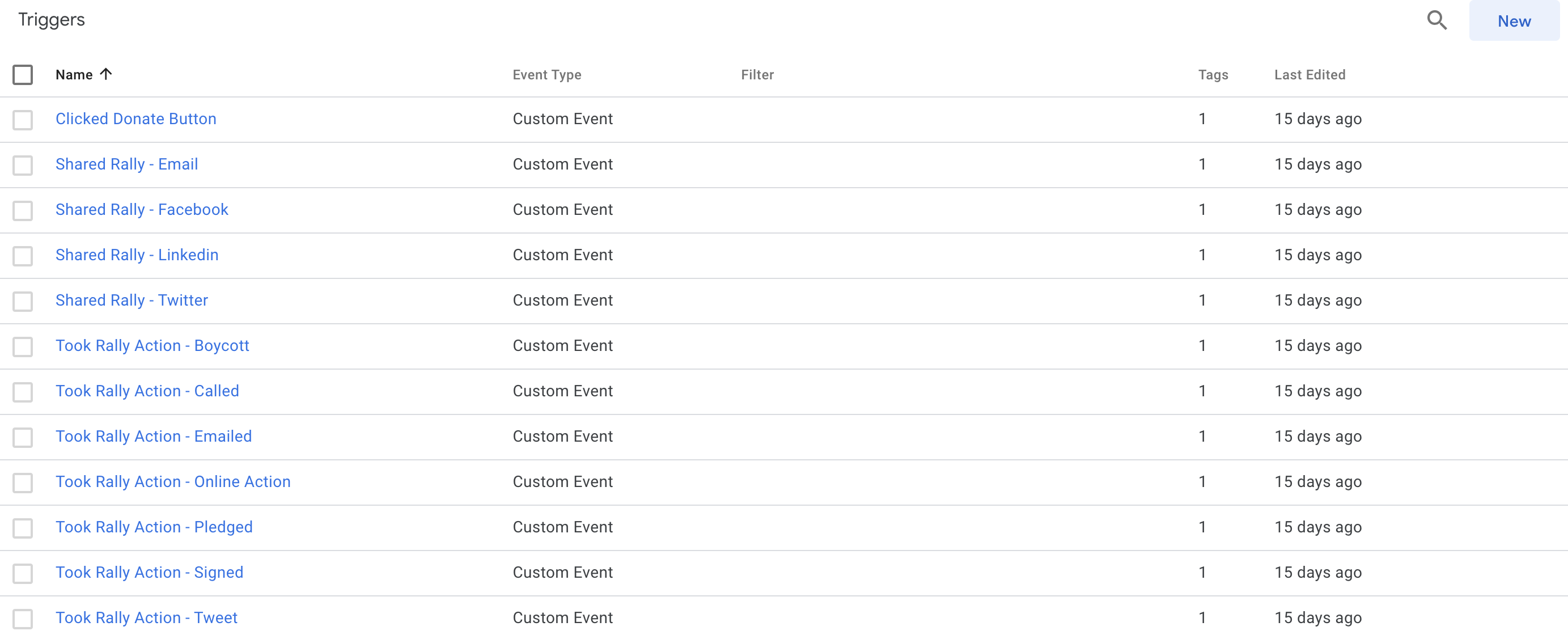
Once the provided JSON file is loaded into your container, a series of premade, Rally Starter-specific triggers will appear under the Triggers section.
5. Validate Integration- Enter preview mode in GTM to ensure that your tags and triggers are set up correctly.
- Navigate to your rally's URL in the preview mode. Perform actions such as signing a petition, subscribing, or sharing the rally.
- Check the GTM debug panel. Verify that the correct tags are firing and the data layer is populated with the relevant information.
| Variable Name | Description |
|---|---|
| Event | Action taken (e.g., "Action Takers - Subscribe") |
| Element | HTML element involved in the action |
| Element Classes | CSS classes of the element |
| Element Target | Target of the element |
| Triggers | Trigger IDs |
| Event Module | Module type |
| Rally | Name of the rally |
| Action | The specific action taken within the rally (e.g., “Tweet”) |
| User ID | Unique alphanumeric identifier of the user (if logged in) |
| User's email address | |
| First Name | User's first name |
| Last Name | User’s last name |
| URL | URL of the rally that the action took place on |